
Business Miles2.0.0 - App Store
You'll be able to see results in few seconds.
Publisher Description
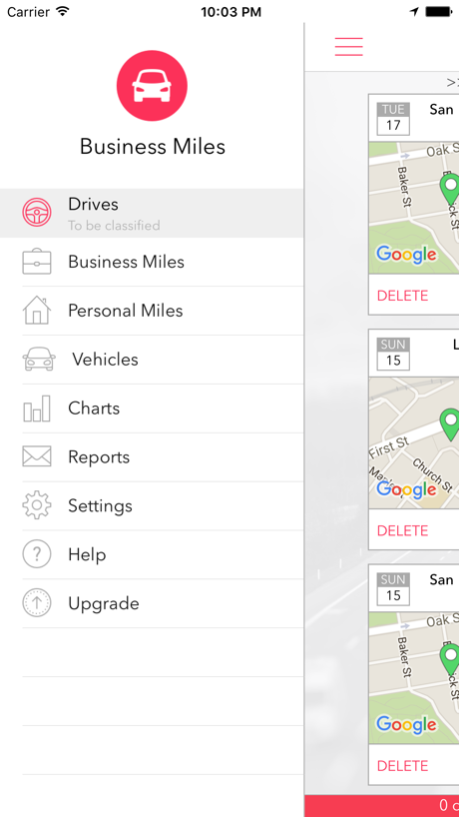
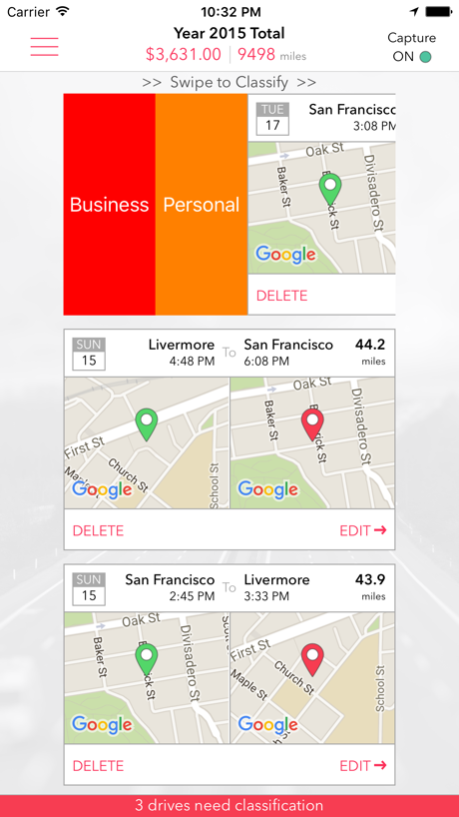
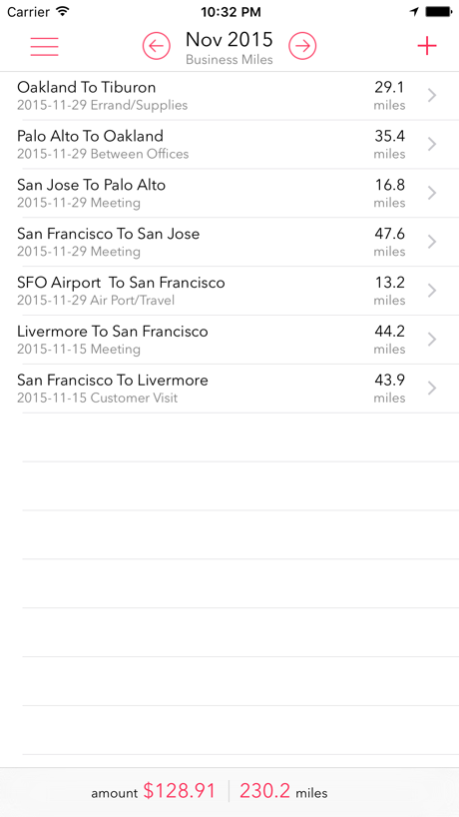

Business Miles is a beautifully designed application that allows you to track your vehicle mileage for tax/reimbursement purposes. Once installed, it automatically captures your drives using the GPS on your mobile phone. No need to manually mark the start and stop points for your drives! For captured drives, you can classify them as business or personal with a single swipe. You also have the option to manually enter your drives.
The app can support multiple vehicles, and can automatically compute the odometer readings once the initial reading is set. The app supports charts and reports, with the option to email the PDF or CSV formatted reports.
Features:
- automatically capture drives using GPS
- classify drives as business or personal with one swipe
- ability to manually add drives
- track odometer readings automatically by vehicle
- ability to backup application data via email
- ability to choose the native currency
- ability to choose between Google and Apple maps
- ability to choose between Miles or Kilometers
- ability to generate PDF/CSV formatted reports, by vehicle, by type, for any selected period
To get started, in the Vehicles section, add your vehicle. Enter a name for your vehicle, year, model and make. If you plan to track odometer miles, set the initial odometer reading as of the day/time you specify. In the Settings section, under the Defaults, set your vehicle, and the default business or personal purpose. This will be used to automatically classify your drives. In addition, you can set your currency and the mileage units if needed.
Now, simply start driving. Business Miles runs in the background, and intelligently identifies your drives.
The Reports section allows you to generate a report of your miles for any period you specify. The report can be in PDF or CSV format. The PDF formatted report is good for printing. If you choose the CSV formatted report, the generated CSV file can be opened in Microsoft Excel.
Business Miles is free for the first 40 drives every month. You can upgrade to unlimited drives by subscribing to either the monthly plan for $2.99/month, or the yearly plan for $29.99/year. The subscription will auto-renew until cancelled, and the auto-renewal can be turned off by going to your iTunes Account Settings. Please refer to http://www.anishu.com/privacy.html for privacy policy and terms of use.
Battery Usage: Continued use of GPS running in the background can dramatically decrease battery life. To preserve the battery power on your device, Business Miles has been carefully designed to limit the use of GPS.
Jan 6, 2016
Version 2.0.0
This app has been updated by Apple to display the Apple Watch app icon.
About Business Miles
The company that develops Business Miles is Anishu, Inc.. The latest version released by its developer is 2.0.0.
To install Business Miles on your iOS device, just click the green Continue To App button above to start the installation process. The app is listed on our website since 2016-01-06 and was downloaded 0 times. We have already checked if the download link is safe, however for your own protection we recommend that you scan the downloaded app with your antivirus. Your antivirus may detect the Business Miles as malware if the download link is broken.
How to install Business Miles on your iOS device:
- Click on the Continue To App button on our website. This will redirect you to the App Store.
- Once the Business Miles is shown in the iTunes listing of your iOS device, you can start its download and installation. Tap on the GET button to the right of the app to start downloading it.
- If you are not logged-in the iOS appstore app, you'll be prompted for your your Apple ID and/or password.
- After Business Miles is downloaded, you'll see an INSTALL button to the right. Tap on it to start the actual installation of the iOS app.
- Once installation is finished you can tap on the OPEN button to start it. Its icon will also be added to your device home screen.
Program Details
System requirements
Download information
Pricing
Version History
version 2.0.0
posted on 2016-01-06
Jan 6, 2016 Version 2.0.0
This app has been updated by Apple to display the Apple Watch app icon.
version 2.0.0
posted on 2016-01-06
Jan 6, 2016 Version 2.0.0
This app has been updated by Apple to use the latest Apple signing certificate.
version 2.0.0
posted on 2016-01-06
version 2.0.0
posted on 2016-01-06
6 Jan 2016 Version 2.0.0
This update is signed with Apple’s latest signing certificate. No new features are included.
version 2.0.0
posted on 2016-01-06
Jan 6, 2016 Version 2.0.0
This update is signed with Apple’s latest signing certificate. No new features are included.
version 2.0.0
posted on 1970-01-01
2016年1月6日 Version 2.0.0
This update is signed with Apple’s latest signing certificate. No new features are included.
Disclaimer
Official App Store Link
We do not host Business Miles on our servers. We did not scan it for viruses, adware, spyware or other type of malware. This app is hosted by Apple and passed their terms and conditions to be listed there. We recommend caution when installing it.
The App Store link for Business Miles is provided to you by apps112.com without any warranties, representations or guarantees of any kind, so access it at your own risk.
If you have questions regarding this particular app contact the publisher directly. For questions about the functionalities of apps112.com contact us.
